

Step 1
Your Revit model
Download plugin
1000+ downloads
By downloading the plugin, you agree to the Algomim Terms of Service and Privacy Policy .
How to start
-
Step 1
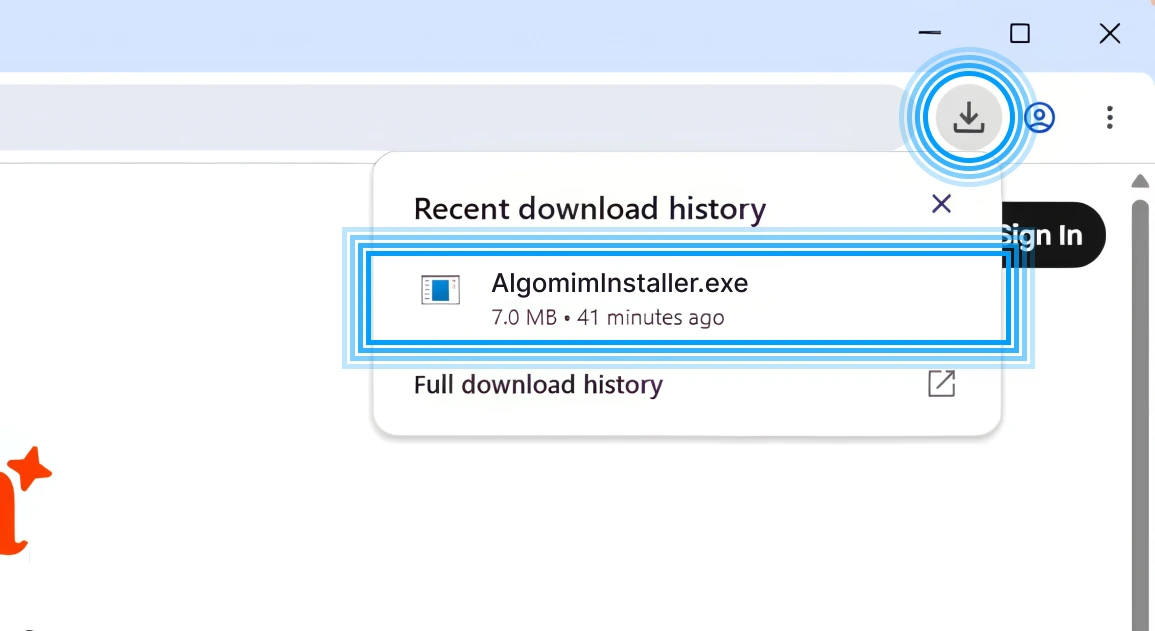
Download and install the Algomim Revit add-in. After setup, Algomim appears inside Revit as part of your design workflow.
-
Step 2
Open Algomim in Revit
Step 2
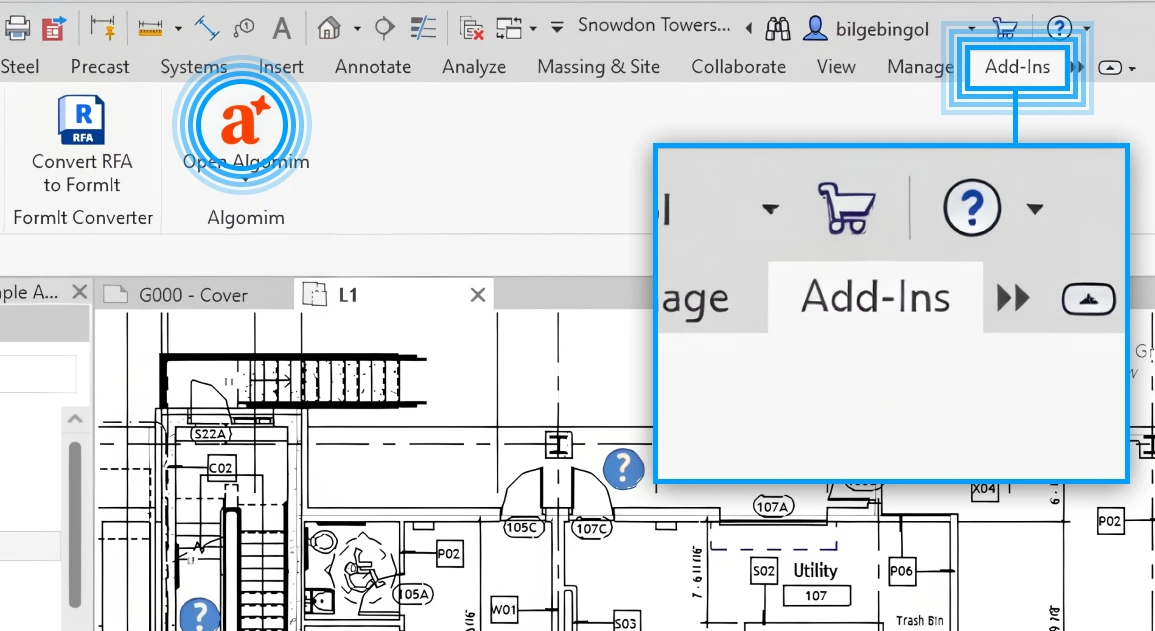
Go to the Add-ins tab in Revit, find the Algomim icon, and click it. When the browser opens, complete sign-in; then you will be redirected to the chat screen.
-
Step 3
See your connection in chat
Step 3
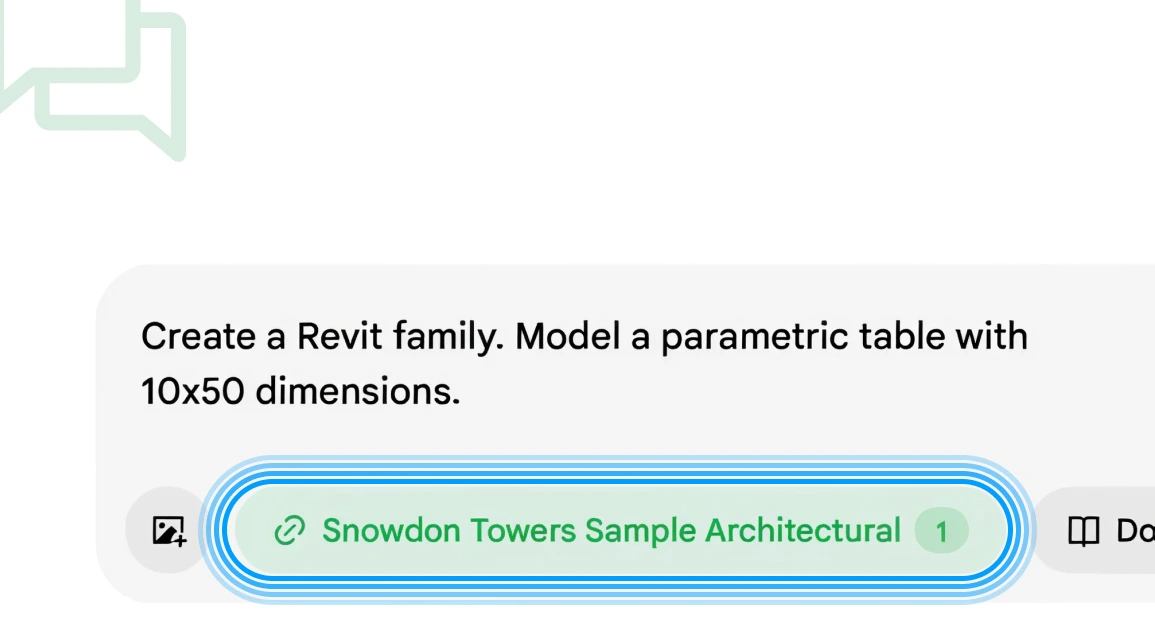
Your active connection appears in the chat input area. From then on, projects you open in Revit will automatically appear there.
Frequently asked questions
Download and install the Revit plugin. Open Algomim from the Add-ins tab in Revit; after sign-in, your active project appears in the connection area of the chat screen.
You can run a model check, interpret warnings, find gaps against project standards, or ask for Revit-ready editing suggestions. You can add Revit models, BIM standards, project templates, regulation notes, and project documents.
Algomim is not a general-purpose chat agent; it is designed to interpret architectural context, BIM data, and drawing language together. It does not use MCP because CAD/BIM workflows involve many files, many instances, and continuous feedback; Revit uses a low-latency, bidirectional plugin connection built for CAD realities.
Algomim reads model elements as part of a larger project context: levels, rooms, grids, types, standards, warnings, and design intent. That lets it answer questions like “why is this wall a problem?” with model and drawing context, not just generic text.
Without a connection, Algomim does not operate the design software directly; it uses models, drawings, and documents as context for analysis and suggestions. When a model operation is needed, it explains the action first, and changes proceed through your active Revit connection after approval.
No. You can download the Revit plugin for free and start your first check without adding a credit card.
Start for free
Free download, no credit card required.